
Introduction
We are thrilled to officially announce Uncode 2.12, one of the most significant updates. This release isn’t just about adding new features; it’s about fundamentally expanding the creative boundaries of what you can build. With the introduction of our new Flexbox and Flexbox Inner modules, we are breaking the traditional grid constraints, giving you unprecedented nesting power and structural precision.
But we didn’t stop at the layout. We are bringing your content to life with Interactive Backgrounds—a suite of motion-driven effects including Magnetic galleries and Mouse Trails—and a completely reimagined Content Slider featuring Marquees and Sticky Horizontal scrolling.
Furthermore, our new native ACF (Advanced Custom Fields) integration turns Uncode into a dynamic powerhouse, allowing you to build complex, data-driven websites with ease. Whether you’re a professional agency or a creative designer, Uncode Evolution provides the ultimate toolkit to craft the next generation of the web.
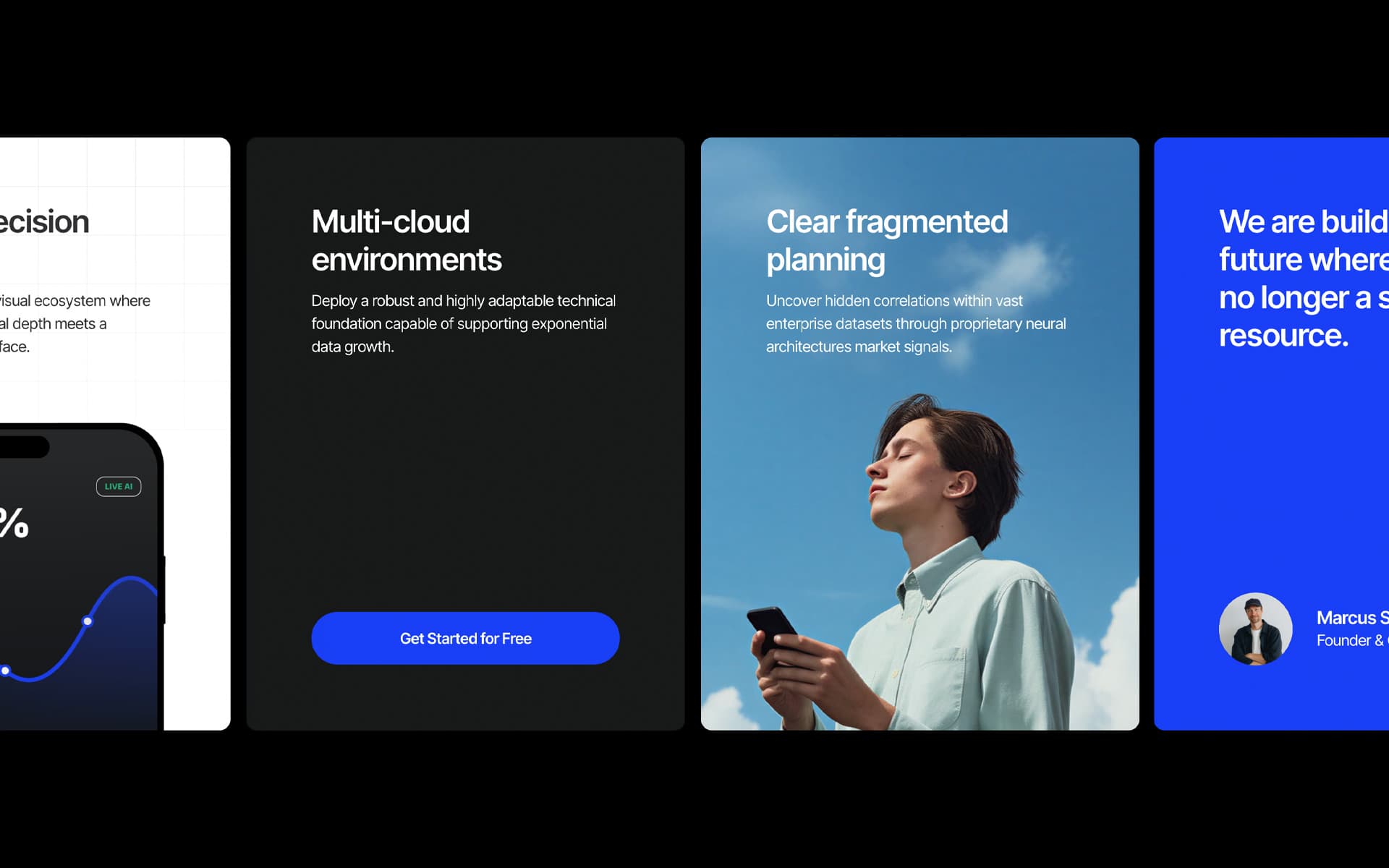
Content Slider new methods
We have completely reimagined the Content Slider module. What used to be a tool primarily for fullscreen headers has been transformed into a powerhouse for modern, interactive layouts. This evolution allows you to break the vertical grid and create immersive digital experiences through innovative content movement methods.
In addition to the Default mode (the classic fullscreen slider), you can now choose from three revolutionary methods:
- Marquee: Create fluid, continuous loops, perfect for banners, and testimonials.
- Carousels: Transform your columns into a flexible carousel navigation.
- Sticky Scroll: Build stunning horizontal scrolling sections (or even full horizontal websites) that react directly to the user’s vertical scroll, perfect for advanced storytelling.
Please find below example pages from our demo site using these new methods:

Interactive motion effects
Beyond standard layout structures, Uncode introduces a new dynamic dimension with Interactive Backgrounds, which sit alongside the Multiple Backgrounds effects you were already familiar with. This suite of motion-driven effects is designed to transform static sections into immersive, high-end digital experiences that react fluidly to user interaction. Whether you want to create a playful atmosphere or a sophisticated portfolio showcase, these interactive layers bring your content to life, breaking the boundaries of traditional web design.
Each effect in the Interactive Backgrounds suite offers a unique way to engage your visitors. Here is an overview of the four main styles:
- Magnetic: This effect creates a three-dimensional environment where images are distributed randomly in space. As the user moves the mouse, the gallery reacts with a 3D parallax motion, giving a sense of depth and physical presence to your media.
- Mouse Trail: Perfect for creating a dynamic path of discovery, this method generates a continuous trail of images that appear and fade away as they follow the cursor’s movement across the screen.
- Particles: Images are spawned randomly throughout the container and disappear after a short duration. This creates a lively, atmospheric effect that feels organic and constantly evolving.
- Drop: Using a realistic physics simulation, images “drop” from the top of the container and interact with the boundaries of the section, providing a playful and tactile feel to the background.
Please find below a simple example page from our demo site:
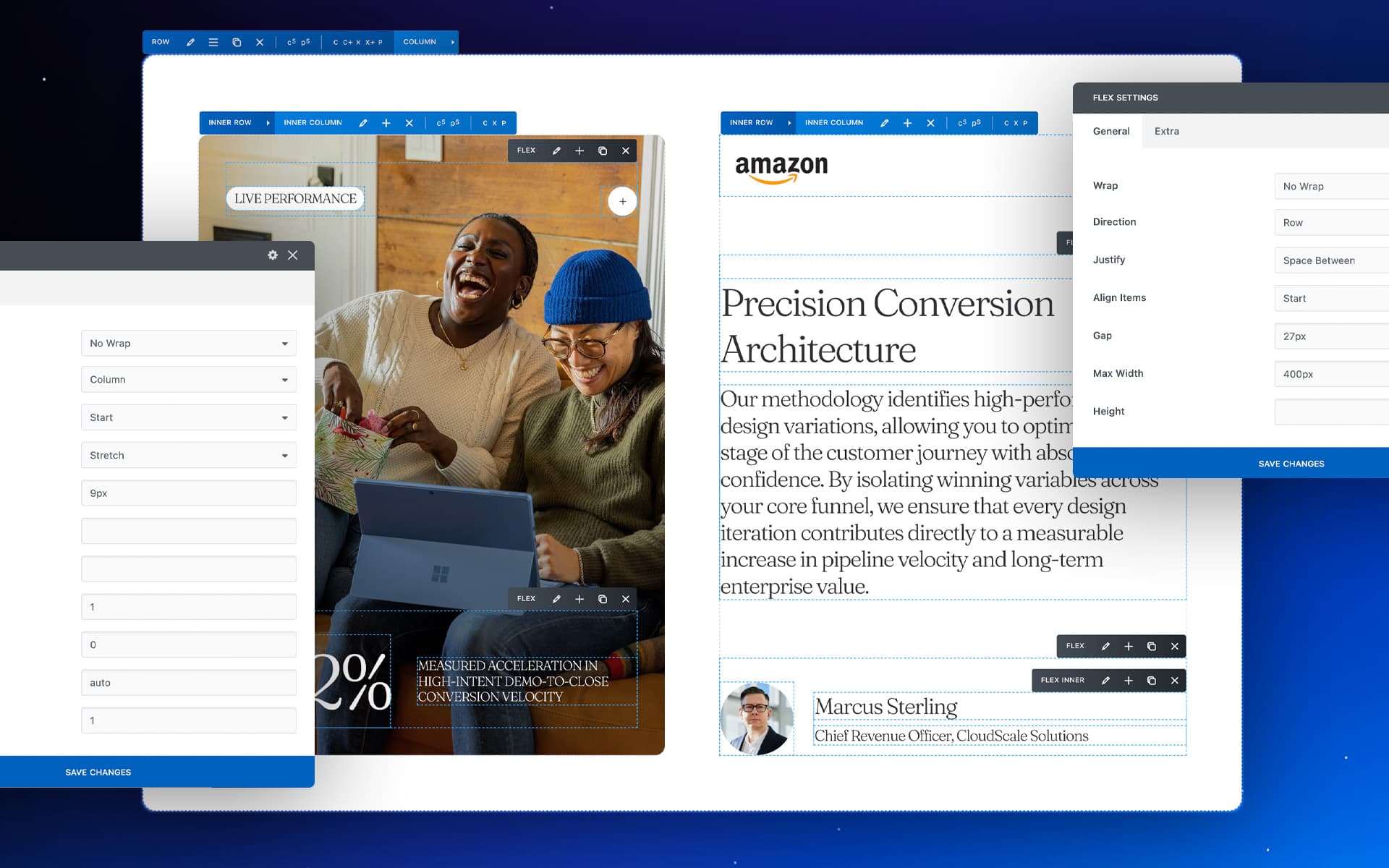
Flexbox containers
Welcome to the new standard of design flexibility in Uncode. The Flexbox and Flexbox Inner modules represent a major evolution of our Page Builder, introducing a level of structural control and nesting possibilities previously impossible. Until now, page structure was primarily defined by the classic hierarchy of Rows and Inner Rows. With the introduction of the Flexbox modules, we are breaking these barriers. These new tools add two additional levels of nesting, allowing you to create intricate layouts that adapt perfectly to any modern design requirement. We’ve designed these modules to give you total structural freedom by allowing for maximum nesting, effectively adding up to two extra levels of depth within your Rows. This is paired with native Flexbox methods, which lets you easily manage direction, alignment, justification, and element wrapping directly from the visual interface.
Please find below a simple example page from our demo site:

ACF integration
We are thrilled to introduce the step one implementation of Advanced Custom Fields (ACF) integration in Uncode. This update marks a significant milestone, turning Uncode into a dynamic engine capable of handling complex, data-driven layouts with ease.
Advanced Custom Fields (ACF) is the industry-standard plugin for adding custom data fields to your WordPress content, moving far beyond the simple titles and text bodies provided by default. By integrating ACF with Uncode, you can define and organize specific data points, such as prices, dates, technical specifications, and turn your backend into a clean, structured repository for information. This enables the creation of professional-grade Real Estate listings, Event directories, Review sites, etc, where the design remains consistent and high-end while the content remains dynamic and easy to manage.
Please find below a simple example page from our demo site:
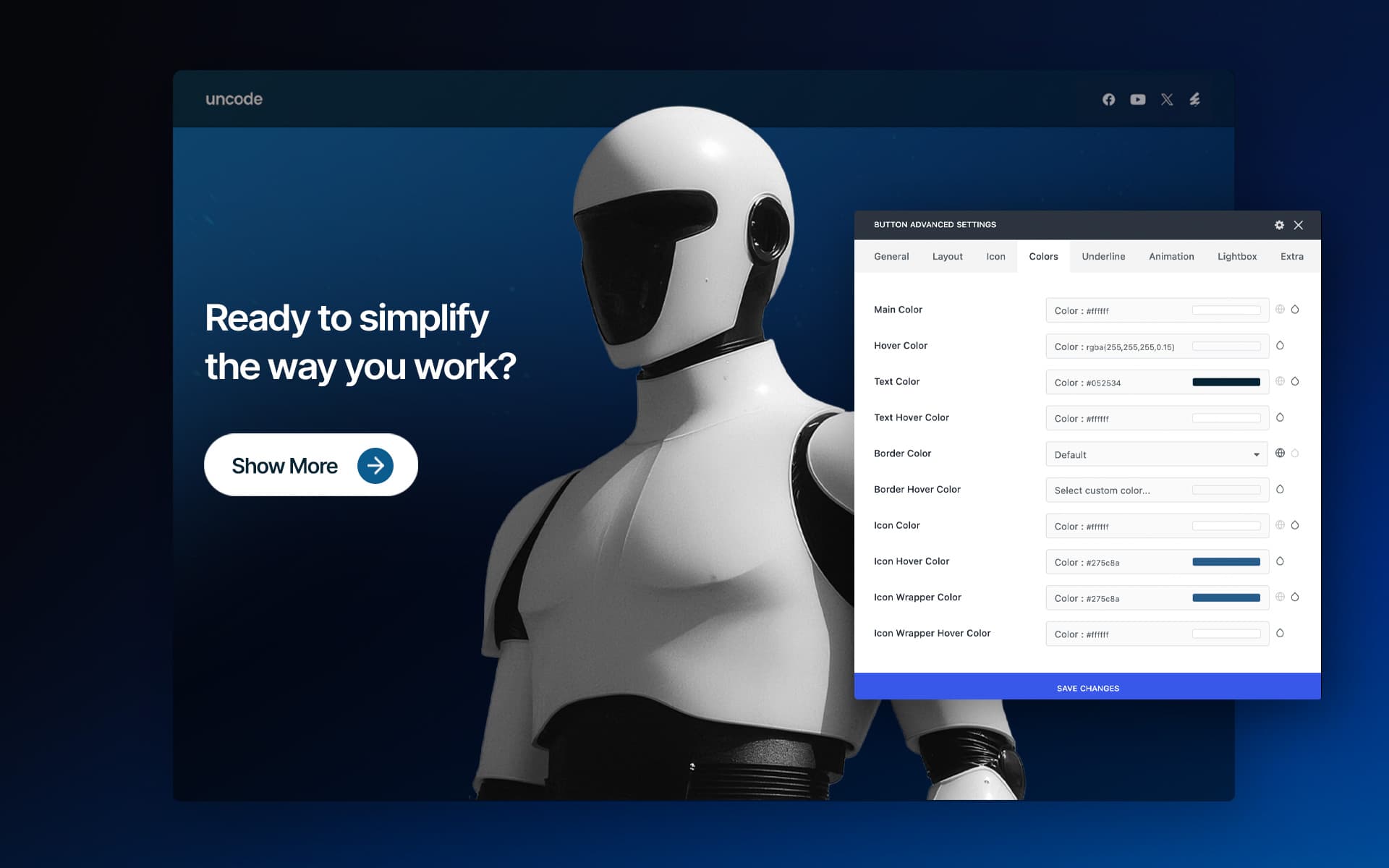
Button Advanced
With Uncode 2.12 update, we are introducing the Button Advanced module alongside our classic Button module. This is a complete rebuild designed for users who require granular control and expanded styling possibilities. While the original module remains perfect for quick actions, Button Advanced offers an evolution in customization across every visual element.
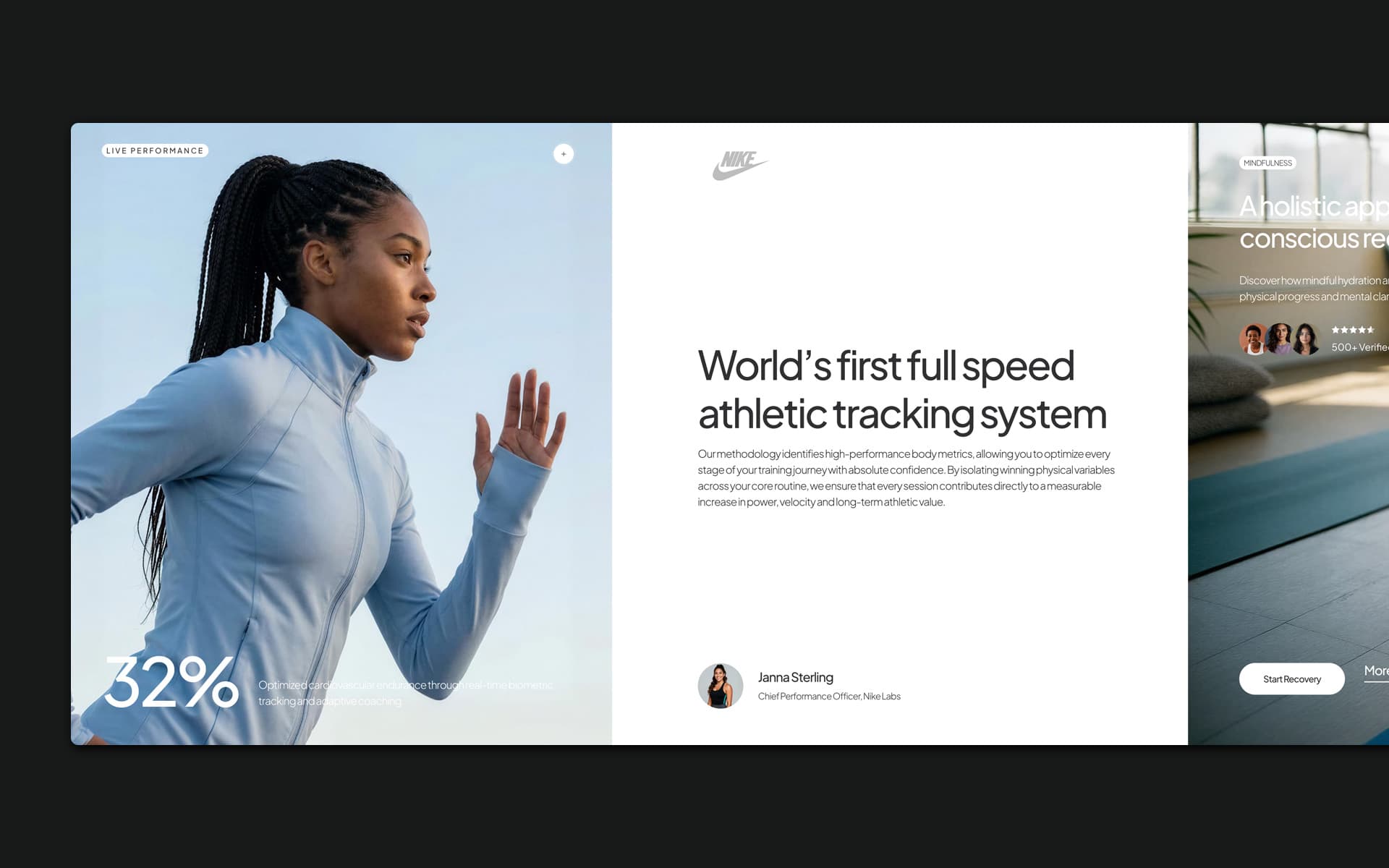
Horizontal scrolling
With the latest evolution of Uncode, we have introduced the ability to break the traditional rhythm of vertical navigation. Thanks to these new implementations, you can now create breathtaking horizontal scrolling sections that capture attention or design entirely horizontal scrolling design, completely transforming the user’s browsing experience.
Please find below example pages from our demo site using these new methods:
Copy & Paste Settings
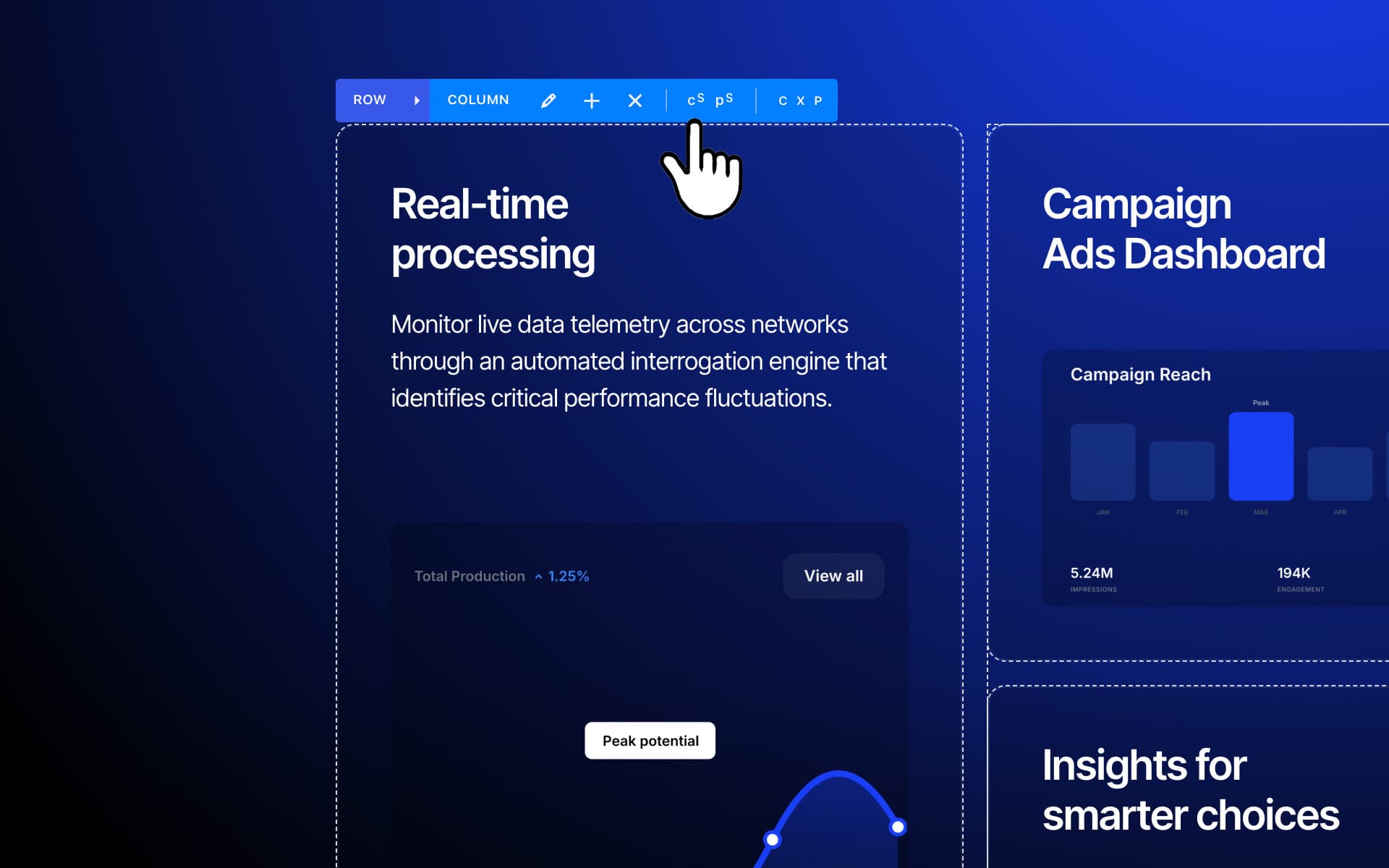
Introduced in Uncode version 2.12, the new Copy and Paste Settings feature is a powerful addition designed to significantly speed up your design workflow. This tool allows you to replicate configurations from one module to another with just a few clicks, ensuring consistency across your layout without manual reconfiguration.
This feature was developed in response to community feedback, specifically for users looking for a way to maintain design harmony across multiple elements. Instead of manually adjusting margins, paddings, colors, or typography for every individual block, you can now “style” one element perfectly and simply broadcast those settings to others.
New Demos & inspiration
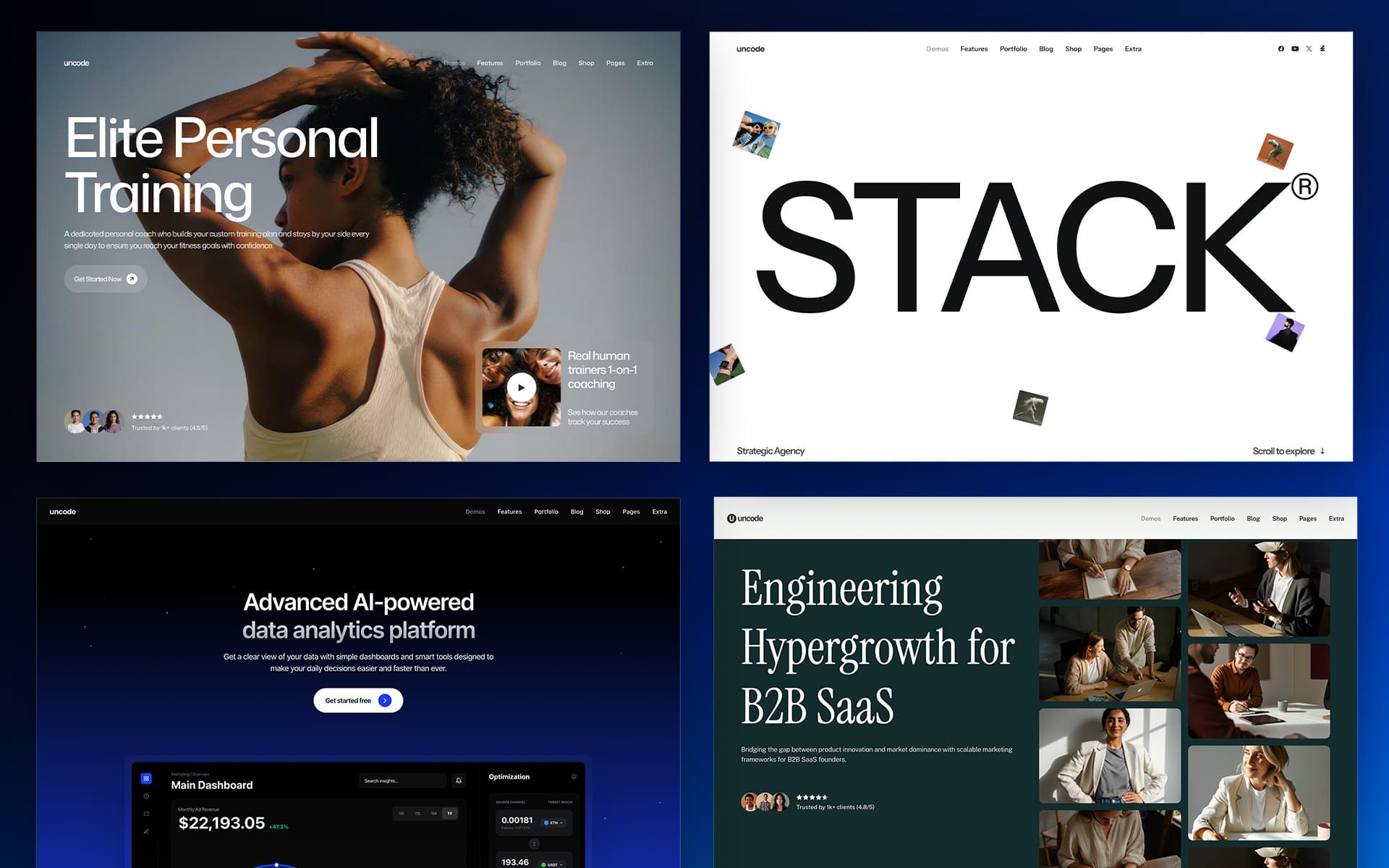
To coincide with this massive update, we are excited to unveil a new set of demo contents. These designs are specifically crafted to showcase the most powerful features of Uncode, providing you with a masterclass in using our new Flexbox and advanced motion effects.
- Creative Stack: A bold and unconventional showcase that pushes the boundaries of layout nesting and complex grid structures.
- Classic Venture: A perfect example of how corporate professionalism meets creative flair, fully utilizing our new dynamic data capabilities.
- Creative Wellness: An immersive, flow-oriented design. This release also includes a new set of internal pages, About, Services, and Contact, designed with a cohesive and high-end aesthetic.
- Classic SaaS (redesign): We have completely reimagined our SaaS demo with a tech-forward look and improved structural precision.
- Classic Hotel (redesign): An elegant redesign that features smoother interactions and sophisticated content presentation for luxury hospitality projects.
These new demos aren’t just templates; they are blueprints of what is now possible. We have heavily utilized Sticky Scroll, Interactive Backgrounds, and Flexbox throughout these layouts to show you how to break the traditional vertical rhythm and create truly immersive websites.
New Wireframes
Quick-start your projects with 20 pre-designed Overlay and Off-Canvas Menu Wireframes. Professional templates ready for rapid prototyping and customization, helping you implement stunning overlay navigation in minutes.
How to update Uncode
There are three methods to update your theme: the easiest way is the Automatic Update which requires you to register your purchase, the Envato Market Plugin update method and the traditional method that involves more steps via WordPress or via FTP. Please find more info in the dedicated documentation:
Change Log
2.12 (2026/05/15)
ADD:

- New Flexbox modules
- Content Slider advanced methods: Marquee, Carousel, and Sticky Scroll
- Row multiple background effects: Mouse Trail, Magnetic Gallery, Image Drop
- New Advanced Button module
- ACF support for: Posts, Heading, Text, Single Media, and Button modules
- Custom padding for Heading Badge
- Progressive Blur absolute positioning on the Footer
- New Accordion style
- Ability to disable Thumb Parallax and Zoom on mobile
- Border Radius and Shadows for Row Inner module
- New Demos (Creative Wellness, Creative Stack, Classic Venture, Classic Saas, Classic Hotel)

FIX:

- Sticky Scroll and Marquee interaction on document height changes
- Transparent Menu with Background Changer
- Stacked Card scroll experience
- CSS for Mini Cart Close button
- Prevent PHP warnings on CPT Archive pages
- Animation hiccup on Magnetic on Hover
- 'Load More' on non-scrollable pages

UTILS:

- Blur class 'un-bg-blur'
- Overflow visible class 'un-overflow-visible'

UPDATES:

- Uncode Core 2.12
- Uncode WPBakery Page Builder 8.7.1.3
- Uncode Wireframes 1.12.0